Steady Path Cycling Challenge
Precision Stability Reaction Time Concentration Hand-Eye Coordination
Steady Path Cycling Challenge
145
Developer: Katana Veil Digital
Published: 2024-08-17
Updated: 2026-07-30

Reviews

Steady Path Cycling Challenge stands out in the crowded browser game space by focusing on controlled movement rather than frantic action. The track layouts are thoughtfully designed, introducing new obstacles at a pace that feels natural. The minimalist visuals keep distractions low, letting players concentrate on the task. The lack of a save system for progress might frustrate some, but the quick restart mechanic mitigates this. Overall, it is a well-crafted game for anyone looking to sharpen their timing and focus in short sessions.

Description

Core Gameplay Loop

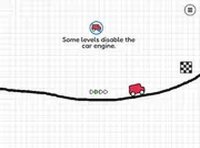
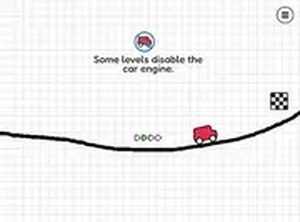
Players take control of a cyclist moving along a narrow track suspended above a scenic backdrop. The primary challenge is maintaining forward momentum while avoiding obstacles that appear in varying patterns. Unlike racing games that reward speed, this experience emphasizes careful pacing and deliberate movements. Each attempt provides immediate feedback, allowing players to learn from mistakes and adjust their approach. The track design encourages a calm, methodical style of play.

Obstacle Patterns and Layout

The track features a rotating selection of barriers and gaps that require different responses. Some obstacles are low and require a jump, while others are positioned to test the player's ability to slow down or shift weight. The layout changes gradually, introducing new combinations as the player progresses. This design keeps the experience fresh without overwhelming the player with complexity. The visual cues are clear, helping players anticipate what comes next.

Visual Design and Interface

The game uses a clean, minimalistic art style that keeps the focus on the action. The track and cyclist are rendered in bright, distinct colors against a simple background. The interface is free of clutter, with only essential information displayed. A full-screen mode is available for those who want an uninterrupted view. The overall presentation is polished but not distracting, suitable for players of all ages.

Platform and Accessibility

Built with web technologies, the game runs smoothly in most modern browsers without requiring any installation. It is optimized for both touchscreens and mouse input, making it accessible on smartphones, tablets, and desktop computers. The controls are responsive and consistent across devices. This flexibility allows players to enjoy the game during short breaks or longer sessions without being tied to a specific platform.

Compatibility

This H5 game runs smoothly on:
• Desktop computers (Windows / Mac) • Mobile phones (iPhone / Android)
• Tablets (iPad / Android)
🌐 Best experienced with Chrome, Safari, or Edge

Faq

Can I play Steady Path Cycling Challenge on my phone?
Yes, the game is designed to work on mobile browsers. The touch controls are responsive, and the interface adapts to smaller screens. You can play directly from your phone's browser without downloading any app.
Is there a way to save my progress in the game?
The game typically saves your progress using browser storage, so your achievements and best runs are remembered between sessions. However, clearing your browser cache may reset this data.
What happens when I fall off the track?
Falling off the track ends the current run. You can restart immediately from the beginning of that course. This quick restart system encourages repeated attempts and helps you learn the layout through practice.
Are there different difficulty levels in Steady Path Cycling Challenge?
The game uses a gradual difficulty curve rather than selectable levels. As you progress, the obstacles become more complex and appear more frequently. This natural progression keeps the challenge appropriate for your growing skill.
Does the game work offline?
No, Steady Path Cycling Challenge requires an active internet connection because it runs in a web browser. It is not available as a downloadable offline application.
Can I play with a keyboard or only a mouse?
The game supports both mouse clicks and keyboard inputs. On desktop, you can use the spacebar or arrow keys to jump and balance. On mobile, tapping the screen performs the same actions. Choose whichever feels more comfortable.

Comments

0 comments
U
User
Loading comments...