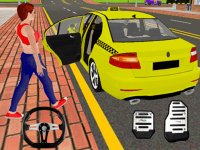
Highway Navigator 3D Racing

Reviews
Highway Navigator 3D Racing stands out for its responsive controls and thoughtful progression. The gradual increase in road complexity keeps players engaged, while the upgrade system gives a real sense of improvement. Recruiting AI crew members adds a nice touch without distracting from the core driving. The 3D visuals and audio create an immersive atmosphere that makes each route feel distinct. For anyone who enjoys straightforward driving games with meaningful advancement, this title delivers a solid experience.
Description
Core Driving Mechanics
Highway Navigator 3D Racing puts you behind the wheel of various vehicles, each with distinct handling characteristics. The primary objective on every stage is to reach the finish line by maintaining control through curves and straightaways. Players steer and accelerate using standard keyboard inputs, while a dedicated key activates temporary speed boosts that provide a short burst of acceleration. These boosts are best saved for sections where maintaining momentum is critical, such as long straight stretches or after navigating tight corners. The controls are responsive and designed to be learned quickly, allowing players to focus on reading the road ahead.
Route Complexity and Progression
As you advance through the game, the roads become more intricate and demanding. Early stages feature simple, open paths that help players get comfortable with the handling model. Later stages introduce sharper turns, elevation changes, and obstacles that require precise timing and steering. The progression system ensures that each new route feels like a genuine step up in difficulty, rewarding players who have taken the time to master the basics. This gradual increase in complexity keeps the experience engaging without feeling overwhelming.
Vehicle Upgrades and Customization
Completing stages earns rewards that can be spent in a central hub menu. Here, players can purchase new vehicles or upgrade their current ride. Upgrades may improve attributes such as top speed, acceleration, or handling, giving players a tangible sense of improvement. Choosing which vehicle to buy or which upgrade to prioritize adds a strategic layer to the game. Some players may prefer a fast but less stable car, while others might opt for a more balanced setup. The upgrade system allows for personal preference to shape the driving experience.
AI Crew Support System
In addition to vehicle upgrades, players have the option to recruit AI crew members. These virtual assistants provide support during drives, though the exact nature of their assistance varies. Some crew members might help with navigation cues, while others could offer minor performance boosts. Recruiting crew members early can provide a helpful edge on tougher stages. The system adds a light team management element without complicating the core driving gameplay.
Visual and Audio Atmosphere
The 3D environments in Highway Navigator 3D Racing give each road a sense of depth and scale. Roads are rendered with clear markings, varied terrain, and changing scenery that makes each stage feel distinct. The visual design helps players judge distances and anticipate turns more effectively. Audio cues, such as engine sounds and ambient road noise, contribute to the immersive feel. Together, the graphics and sound create a convincing driving atmosphere that supports the gameplay.
Strategies for Consistent Performance
Success in Highway Navigator 3D Racing comes from balancing speed with control. Practice steering through curves without overcorrecting, and learn to time boost activations for maximum effect. Collect rewards after each stage and invest them wisely in upgrades that address your weakest areas. Recruiting a crew member early can provide consistent support. As routes grow more challenging, upgrading your vehicle before attempting new stages gives you a clear advantage. Planning purchases carefully between vehicle upgrades and crew members helps maintain steady progress.