Builders Fantasy Realm
Reviews
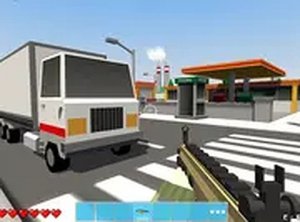
Builders Fantasy Realm focuses on open-ended construction in a browser. You gather materials, shape terrain, and assemble vehicles without mission objectives. The ability to visit other players' worlds by code or browse shared creations adds a social, inspiration-driven layer. The vehicle crafting system offers a practical way to move faster or simply experiment. Its lightweight browser format makes it accessible, though players seeking structured goals or combat may find the lack of objectives limiting.
Description
Open-Ended Construction
Builders Fantasy Realm gives you a large digital space and a simple premise: build whatever you want. You gather materials from the environment, then use them to raise structures, reshape the terrain, and design vehicles. There are no strict objectives or win conditions, so the pace and scale of your projects are entirely up to you. A session might involve placing a few blocks for a small shelter, or planning a sprawling architectural build that takes multiple sittings. The world responds to your actions, meaning terrain edits and placed structures persist as you work.
Visiting and Sharing Worlds
The game includes a social layer built around sharing creations. You can enter a code to visit another player's world or browse a list of available worlds. This lets you see how others have used the same tools, which can spark ideas for your own projects. Because the focus is on creativity rather than competition, the shared spaces function as galleries and workshops. You can share your own world and get feedback or inspiration from the community. The overall tone is family-friendly, with construction and exploration as the main activities.
Building and Testing Vehicles
Beyond static buildings, Builders Fantasy Realm has a vehicle assembly system. You collect components and combine them in a crafting menu to create moving machines. These vehicles can be used to travel across the world more quickly, or simply built as a design project to test and refine. The crafting process is straightforward enough for younger players to follow, but it still offers room for experimentation if you enjoy engineering. Vehicle parts and structures share the same material-gathering loop, so time spent collecting resources supports both types of projects.
Browser Access and Session Flow
The game runs entirely in a web browser on desktop computers. There is no download or installation step, so you can start playing immediately. This lightweight approach works on a range of systems and makes it easy to play in short bursts or longer building sessions. Because everything happens in the browser, your progress is tied to the game's own systems rather than local software. The lack of a required client also means you can move between building, exploring, and visiting other worlds without restarting or patching.







Editorial Notes